
Home / Platforms / Windows
The messenger for your PC
Writing messages and emails is easier on a big screen. The Windows app brings chats, calls, email and calendar into one window – and lets you know when something new arrives.
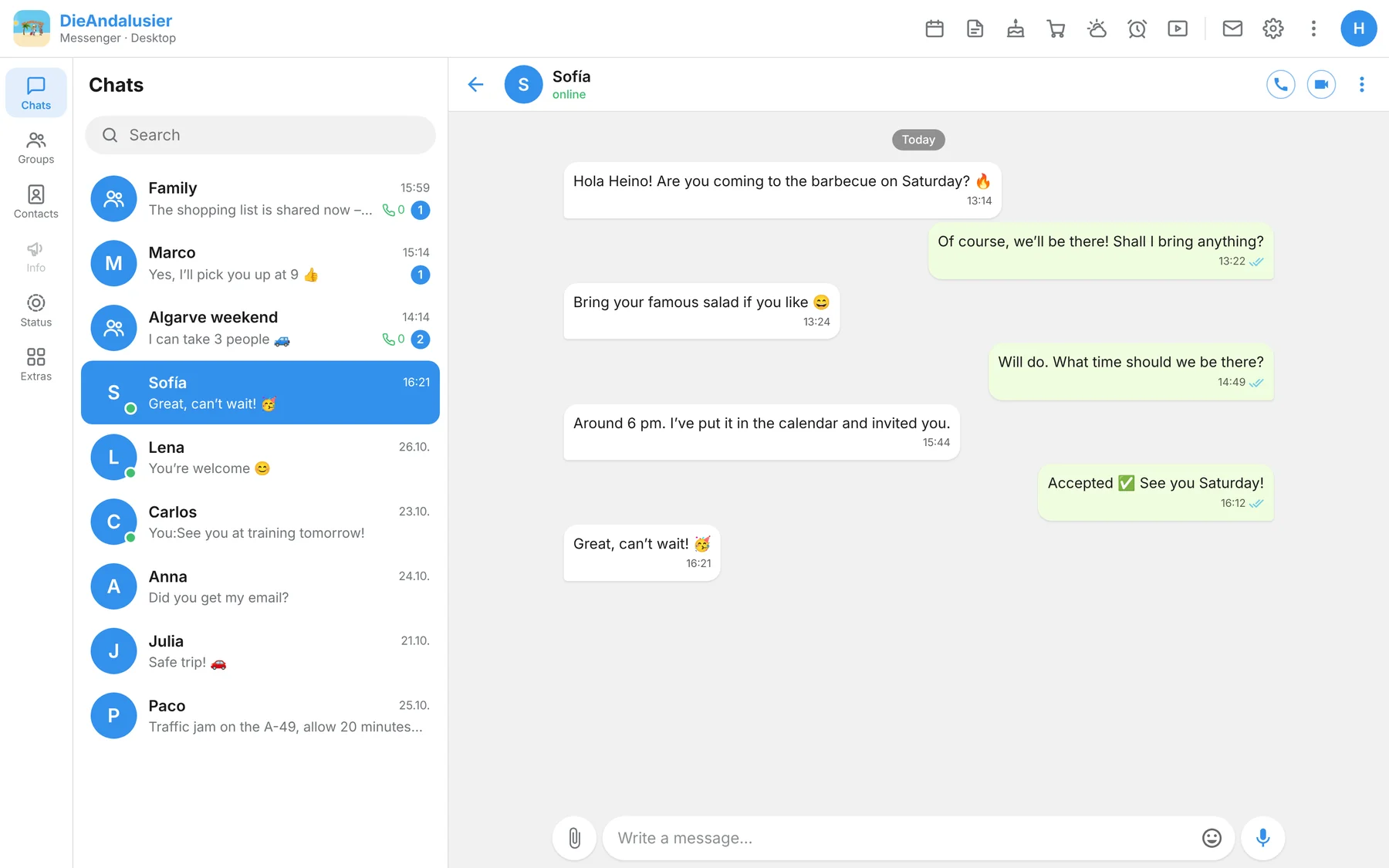
Made for the PC
What makes the desktop app special
Runs in the background
If you close the window, the messenger waits in the notification area next to the clock. Quit by right-clicking the icon.
Windows notifications
Notifications for messages, calls, missed calls and reminders; the number of unread chats is shown on the taskbar icon.
Screen sharing
During a call you can show either your whole screen or a single window.
Email with all accounts
Besides your own address, more mailboxes via IMAP/SMTP right from your PC, with a combined inbox.
Shrink videos
Videos up to 50 MB can be scaled down to 480p before sending if you like, larger ones automatically – the tool for that is built in.
Secure updates
New versions are only installed if their digital signature is valid.
At your desk
Calendar, email and stream in a big window
The header takes you to calendar, notes, shopping list, alarm clock, email and settings with one click. Light, dark or matching Windows.
Not in the Windows app: navigation, dash cam, fuel prices, walkie-talkie mode, voice assistant and read-aloud. These features are meant for the phone. The interface comes in the Telegram style.
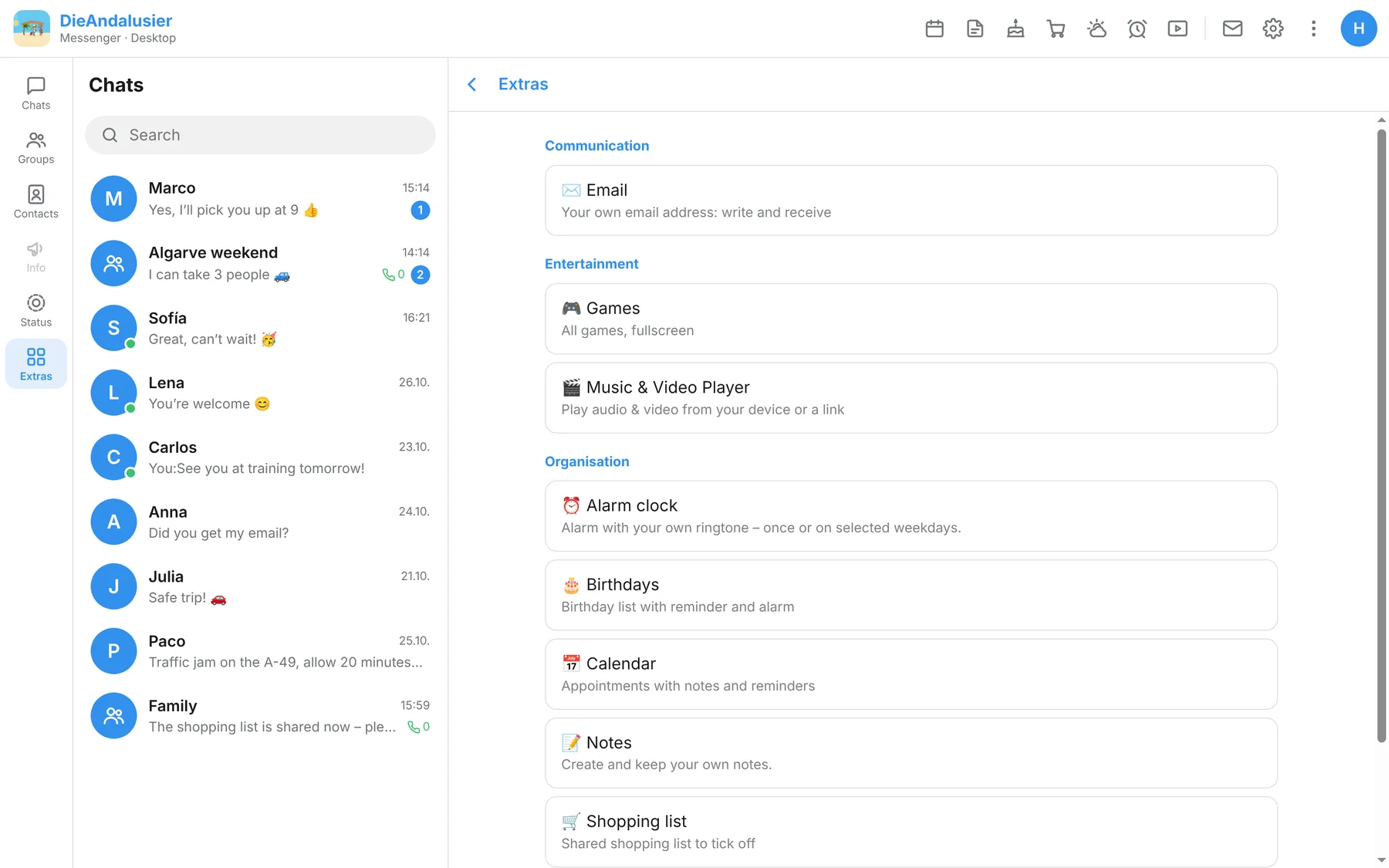
Installation
How to install the app
- Version
- 2.0.4
- Requirements
- Windows, 64-bit
- File
- Installer (.exe)
- Download the fileDownload the installer using the button.
- Start the installationDouble-click the file. If Windows shows the message “Windows protected your PC”, click “More info” and then “Run anyway”.
- Sign inSign in with your existing account. Your PC is registered as a separate device.